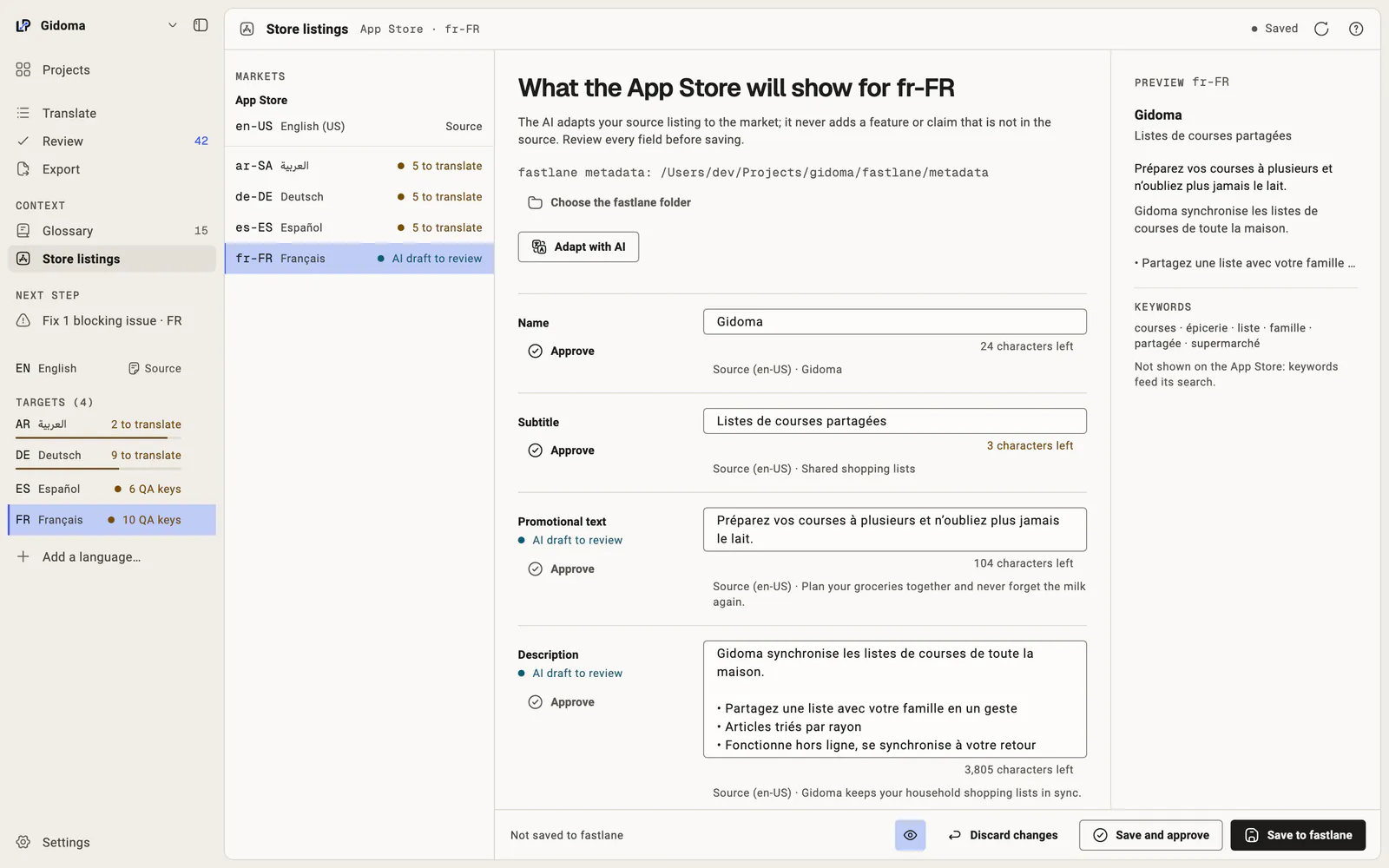
Translate your App Store listing in your fastlane files
LocalePilot reads and writes the files of fastlane deliver. You adapt your listing in every language with Apple's limits checked as you type, then publish with the tools you already use.
The model is instructed to use only your source listing and not invent claims. Review every field before saving; publication remains in your usual tools.
Gidoma
6 / 30 characters
Source (en-US) · Gidoma
Listes de courses partagées en famille
38 / 30 characters
Source (en-US) · Shared shopping lists
Préparez vos courses à plusieurs et n’oubliez plus jamais le lait.
66 / 170 characters
Source (en-US) · Plan your groceries together and never forget the milk again.
Real LocalePilot screens, captured on a demo project.
Store listings: the French App Store listing adapted by AI, with its preview Open full-size image
The files you already publish
LocalePilot works in fastlane/metadata/<locale>/, at the project root, under ios/ or under macos/: name.txt, subtitle.txt, promotional_text.txt, description.txt and keywords.txt. Nothing is sent to Apple: fastlane deliver or App Store Connect remain your publishing tool.
Apple's limits, checked as you type
Name and subtitle: 30 characters.
Promotional text: 170 characters.
Description: 4000 characters.
Keywords: 100 bytes, the unit used by the App Store Connect documentation. In UTF-8, an accented letter takes two bytes: "épicerie" is 8 characters but 9 bytes.
Drafts to review
The model is instructed to use only your source listing and not invent claims. Review every field before saving; publication remains in your usual tools.
Saving and backups
Only changed fields are written, and a file changed on disk since it was loaded is never overwritten. Replaced files are backed up in LocalePilot's own storage on your Mac, never inside your project. Open them from Settings > Project > Backups > Show backups in Finder.
The App Store listing is part of Pro, also available during the 14-day trial.
Frequently asked questions
Does LocalePilot publish my listing to the App Store?
No. It writes your fastlane/metadata files; publishing is done with fastlane deliver or in App Store Connect.
Why are keywords counted in bytes?
The App Store Connect reference sets the keywords limit at 100 bytes. LocalePilot applies that rule, the safest one: in UTF-8, accented letters and non-Latin characters take several bytes, so a 90-character field can exceed it.
Are release notes supported?
Not yet: the screen covers name, subtitle, promotional text, description and keywords.
Get notified at launch
LocalePilot is being finalized. Leave your email to hear when it launches.
macOS 12 or later · Ollama or LM Studio optional
App interface in English, French, Spanish, Italian and Portuguese.