Translate your Flutter ARB files with local AI

LocalePilot sends your ARB strings to a model running on your machine, through Ollama or LM Studio, then checks every placeholder before export. With a model running on your Mac, your text stays there, and local AI is included in the free version.

In the app

Real LocalePilot screens, captured on a demo project.

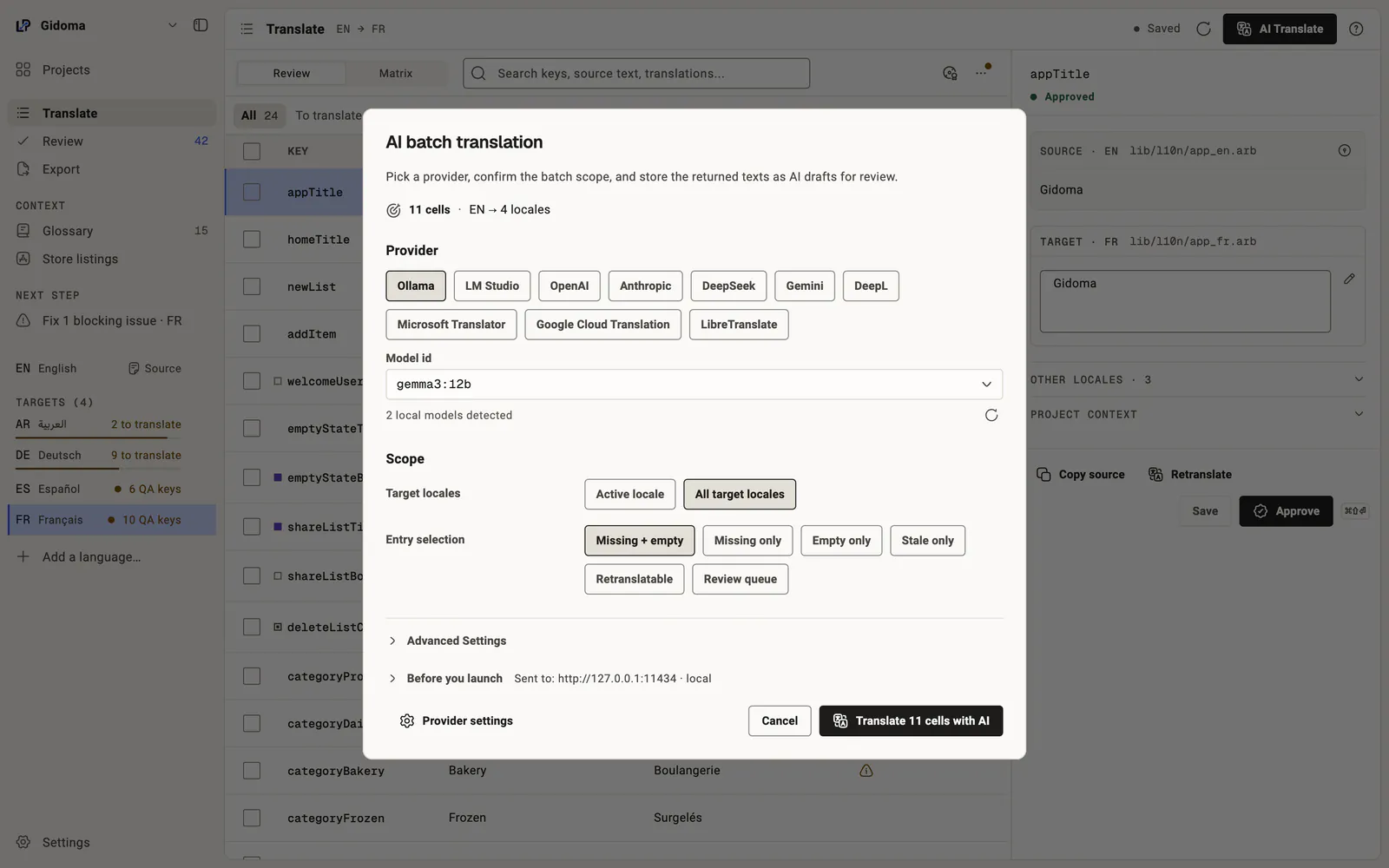
LocalePilot batch AI translation window: Ollama selected among the providers, local model gemma3:12b detected, scope set to every target language and to missing or empty entries.
Batch AI translation: 11 cells, English to 4 languages, with a local model Open full-size image
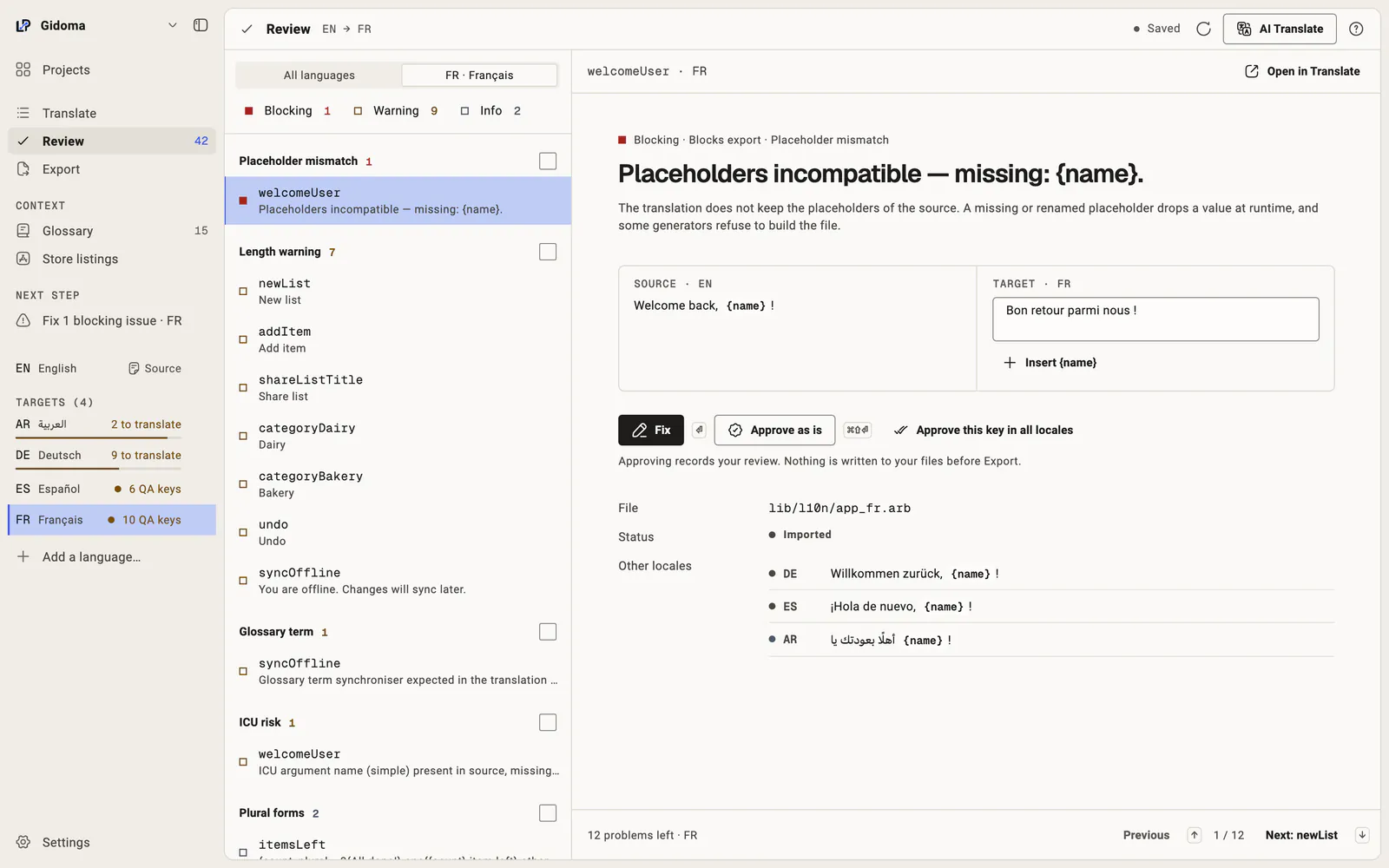
LocalePilot QA Center: problems grouped by type, a placeholder missing from the French translation flagged as blocking, source and target side by side, and the actions to fix or approve.
Review: every problem QA found, grouped, fixed in place Open full-size image

How it works

  1. Open your lib/l10n folder: LocalePilot finds the app_xx.arb files, reads the language from @@locale then the file name, and suggests the source language.
  2. Pick a model in settings: Ollama or LM Studio, detected on your machine.
  3. Translate missing keys for one language or every target language. Project context and @key descriptions go with the request; with Pro, the glossary too.
  4. Review: every suggestion lands as an "AI draft to review". Approve it or edit it.
  5. Export: changed files are written back with @key metadata preserved, and previous versions are backed up.

ICU placeholders stay intact

A model may translate {count} into {nombre} or drop {name}. LocalePilot's QA compares the placeholders of every translation with its source: ICU ({name}, plural, select) and {{name}}. A mismatch is blocking: the file is not exported until it is fixed or explicitly dismissed.

Local by default, cloud if you choose

Local AI is free and included in every version. With Pro, you can also use OpenAI, Anthropic, Gemini or DeepSeek with your own API key. In that case, only the strings needed for the request are sent to the provider you picked.
Frequently asked questions

Do I need a GPU to translate with Ollama?

No, but speed depends on your machine and the model you choose. LocalePilot sends requests to the local model you installed; it does not ship the model.

Are my ARB files sent anywhere?

Not with a model running on your Mac through Ollama or LM Studio. A cloud model, a remote server or a cloud provider (Pro) receives the strings of each request with their context, such as key names, descriptions and neighboring keys.

Is @key metadata preserved?

Yes. Descriptions and placeholders declared in @key are kept on export and used as AI context.

Get notified at launch

LocalePilot is being finalized. Leave your email to hear when it launches.

  • macOS 12 or later · Ollama or LM Studio optional
  • App interface in English, French, Spanish, Italian and Portuguese.